Your fleet monitored and fixed remotely. Every action logged.
A lightweight agent on every workstation and server, connected to a single console. Your team sees the state of the fleet, intervenes with precise permissions, and every action is written to the log. The AI assistant diagnoses and proposes, within the permissions you grant it.
Fewer trips, more evidence.
See the fleet in real time
Machines online, versions and health, grouped by site, client or group.
Intervene without travelling
Commands and files on Windows (Windows 7 through a dedicated binary), macOS and Linux; screen capture and on-screen actions on Windows and macOS, subject to system permissions.
Audit a site’s network
A small box placed on the network lists the devices present, their open ports and their SNMP information, without changing anything.
Trace and prove
Who did what, when and on which machine: a log you can browse in the console and export to CSV. Read-only observer accounts for your auditors.
Keep the AI in check
Denied by default, machine by machine and tool by tool; approval in the console for some equipment write operations, depending on the policy. The assistant only uses the tools you enable.
No inbound port
Agents connect out to the hub: nothing to open on the site firewall.
Try them in your browser.
A console and two guided animations (the animations are in French): they show how it really works, on sample data.
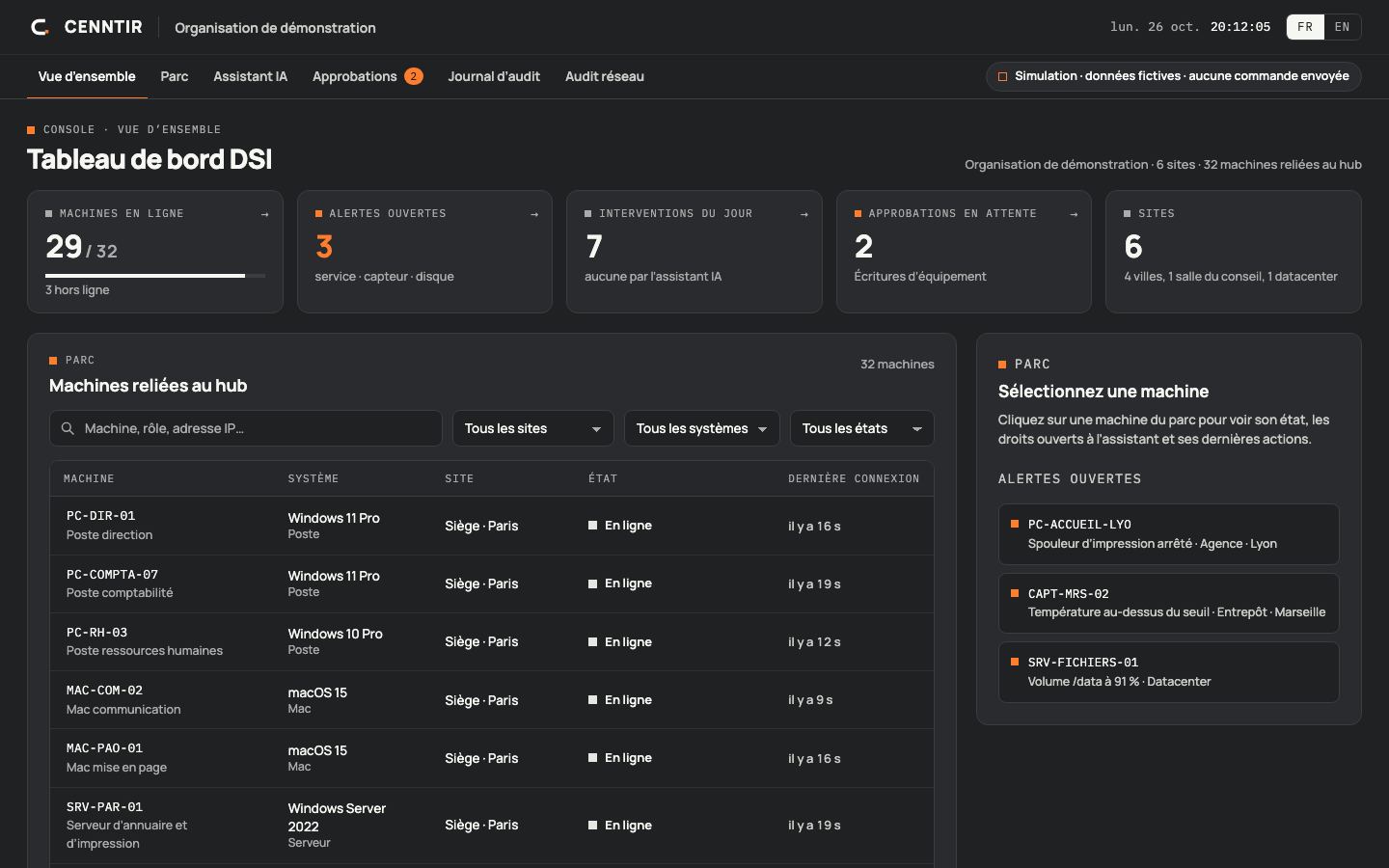
Fleet console
A fleet dashboard: 32 machines across 6 sites, alerts, machine sheet and diagnostics, an AI assistant proposing an action to approve, approvals with a one-time code, a live audit log and a site network audit.
Open the demo ↗ (new tab)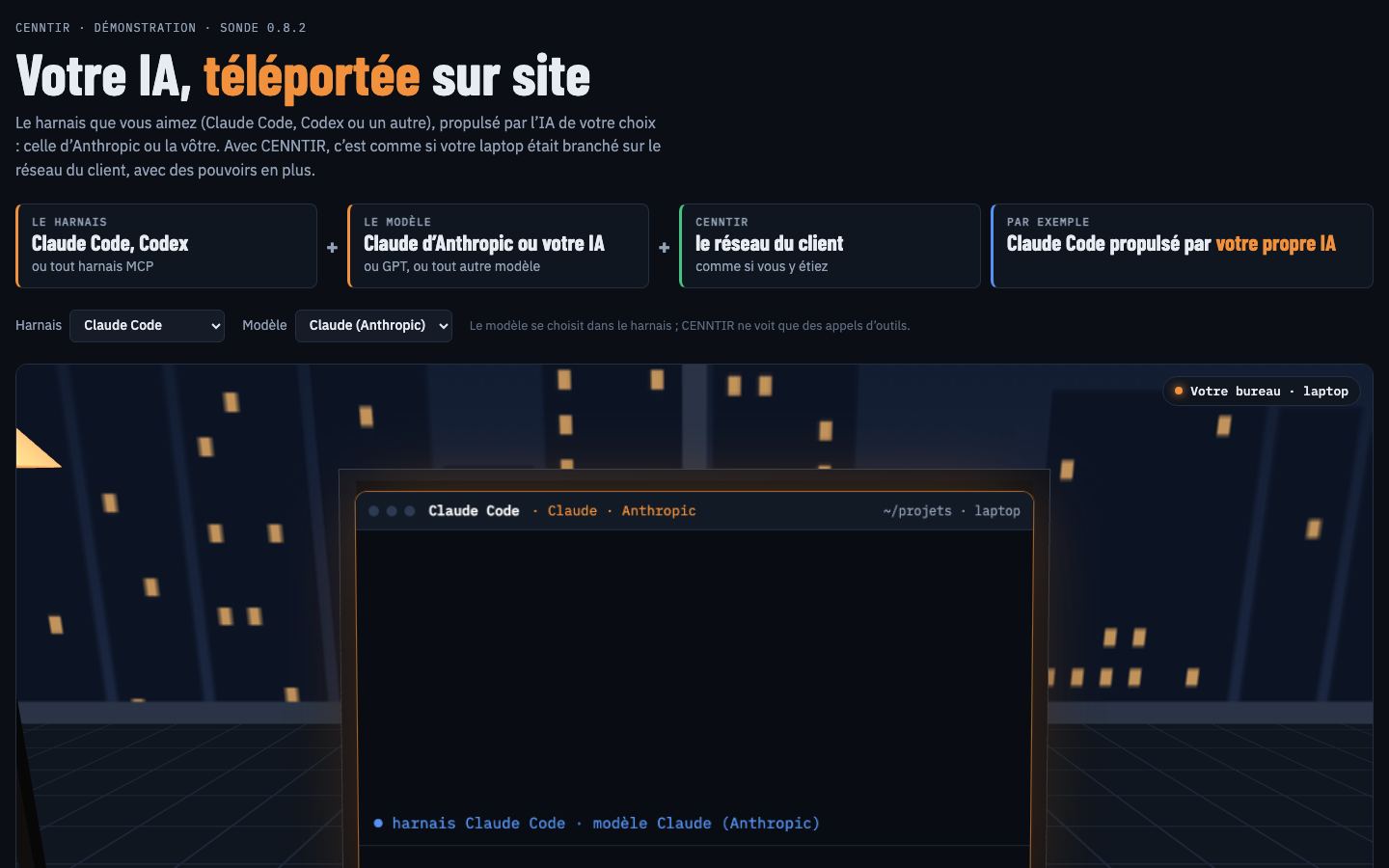
The AI assistant steps in
From the office, the assistant works on a client site’s network through the agent: it diagnoses, acts, then checks.
Open the demo ↗ (new tab)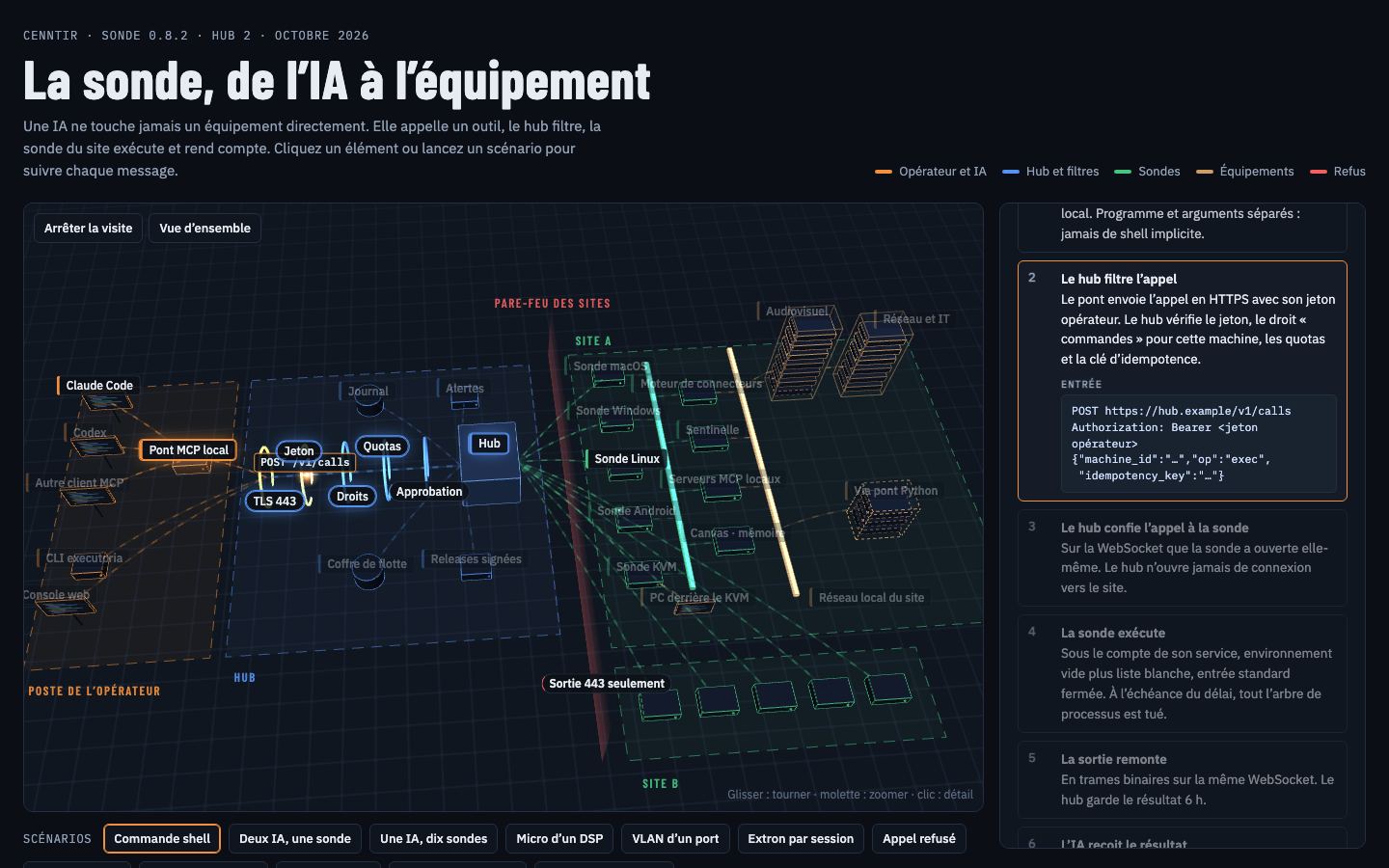
The fleet in 3D
The architecture in three dimensions: workstations, agents, hub, permissions and equipment, with a guided tour. Archive of agent 0.8.2 (October 2026).
Open the demo ↗ (new tab)What is ready, what gets qualified.
We separate what works today from what gets validated on your site, with your hardware.
Available
- Windows, macOS and Linux agents (version 0.8.5)
- Console, permissions, approvals and log
- Bounded network inventory: devices, ports, four SNMP reads
- Signed and verified updates
To be qualified on your site
- Your permissions and approval policy
- Hub hosting: with us, or on your own server as a project
- The AI model chosen and the resulting data flows
- The machines and versions in your fleet
The CENNTIR network audit produces an inventory; it is not a vulnerability scanner.
One test workstation, one guided demo.
We install an agent on a test machine and walk through the console and the log with you.